Know what your people actually use AI for
Inflect groups real AI sessions into named use cases and categories, ranked by activity, cost and number of people, so you can spread what works and question what costs too much.
Book a demo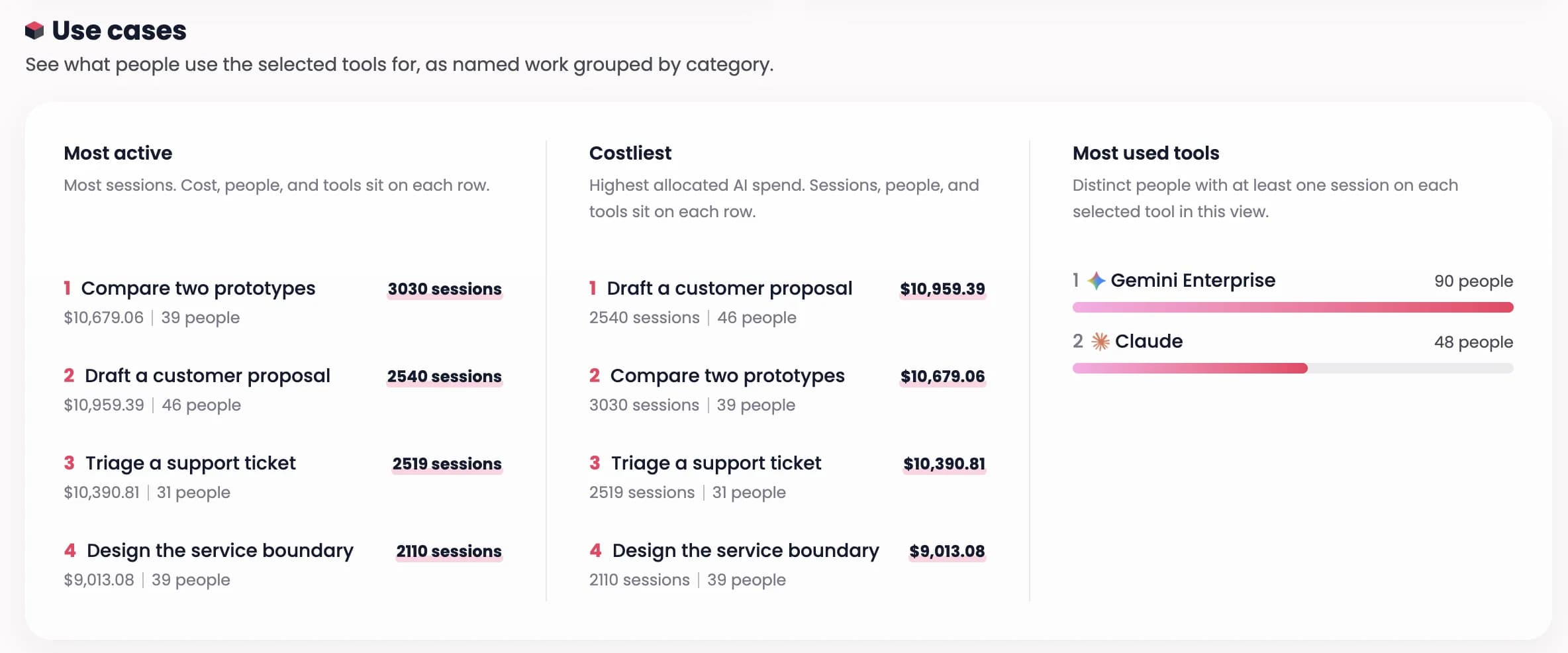
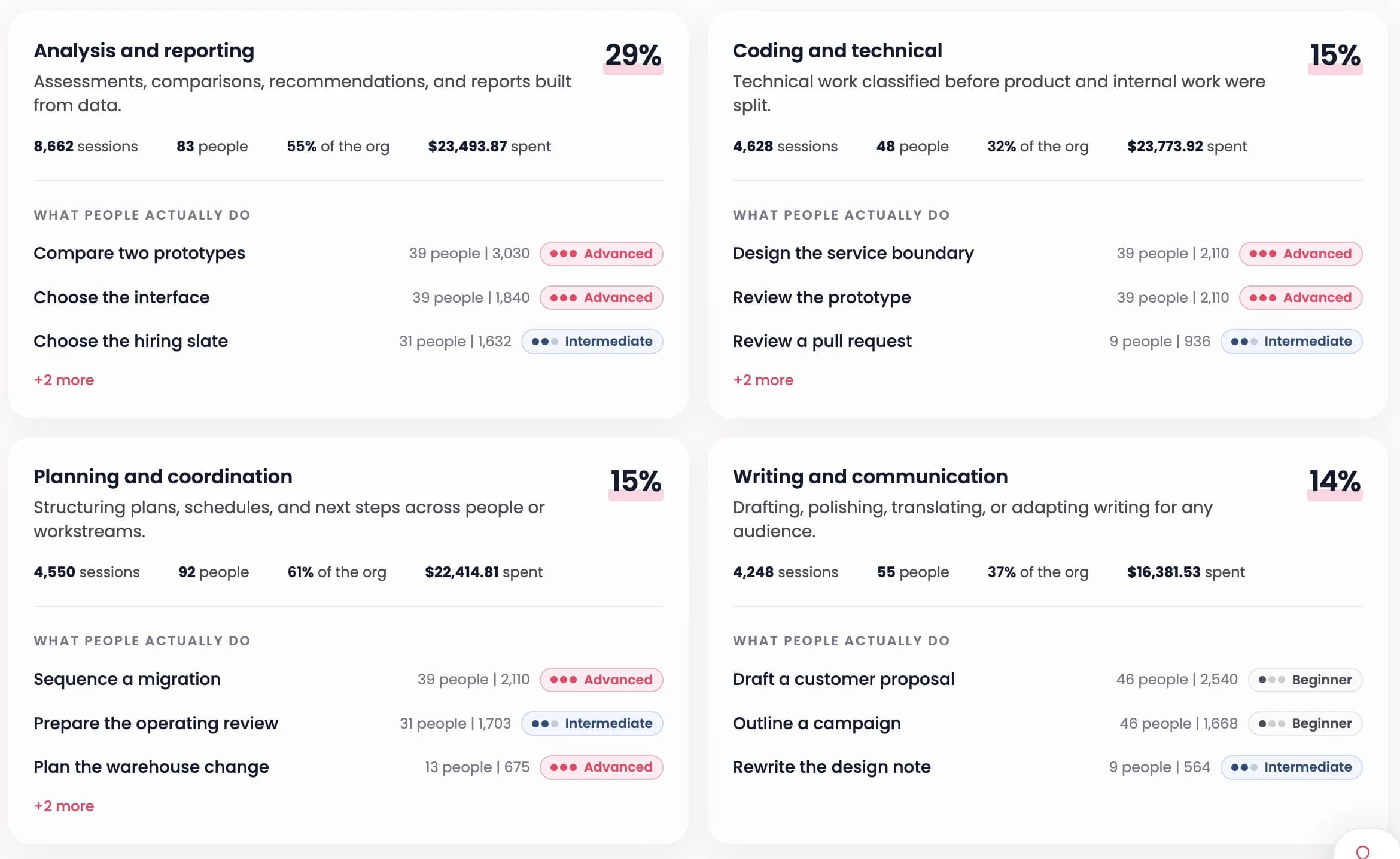
Work grouped by category, with the skill level behind it
Analysis, coding, planning, writing. Each category shows its share of all AI work, the people involved, the spend, and whether the work behind it is beginner or advanced.
Frequently asked questions
What are employee AI use cases?
Employee AI use cases are the specific tasks people do with AI at work, such as drafting a customer proposal or triaging a support ticket. Inflect names and groups them from real sessions, so you see what the work actually is, not what a survey assumes.
Why look at cost next to activity?
A use case can be popular and cheap, or rare and expensive. Putting sessions, people and spend together shows which use cases justify their cost and which need a second look.
What does Inflect connect to?
Inflect connects to the AI tools a company already uses. That includes assistants such as Claude, Gemini, OpenAI and Microsoft Copilot, and automation platforms such as Make, n8n and Zapier. Each connected tool feeds the same views, so you compare tools and teams on one footing.